Head of Product Design · Designed hands-on · V1 → V2 in two weeks
Company
Role
Head of Product Design, hands-on
Scope
Navigation · Goal setup · Linking circles · Visual direction
Status
V2 shipped
V1 baseline · what the MVP proved
~1 in 3users engaged with Goals, with no marketing push
~3 in 4started a goal once they opened Goals
3 in 4went on to join or link a circle
70+user interviews behind V2
01 · The problem
People used Money Fellows transactionally: join a circle, pay, get paid. Nothing connected a circle to the life moment it was for.
People were planning anyway, in notes apps and informal money circles. Goals was meant to bring that inside the product.
02 · What V1 taught us
A designer on the team shipped V1 before I led design. It proved the demand: about a third of users found Goals with no marketing push. It also showed us what not to do.
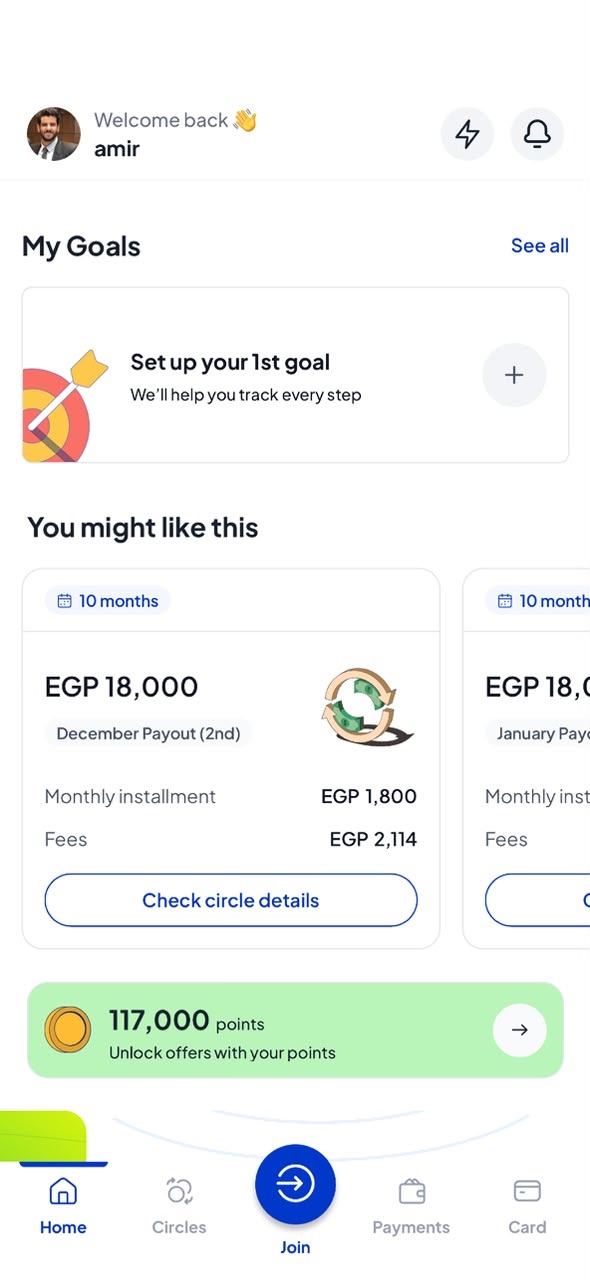
Navigation felt like a loop, with no clear mental model
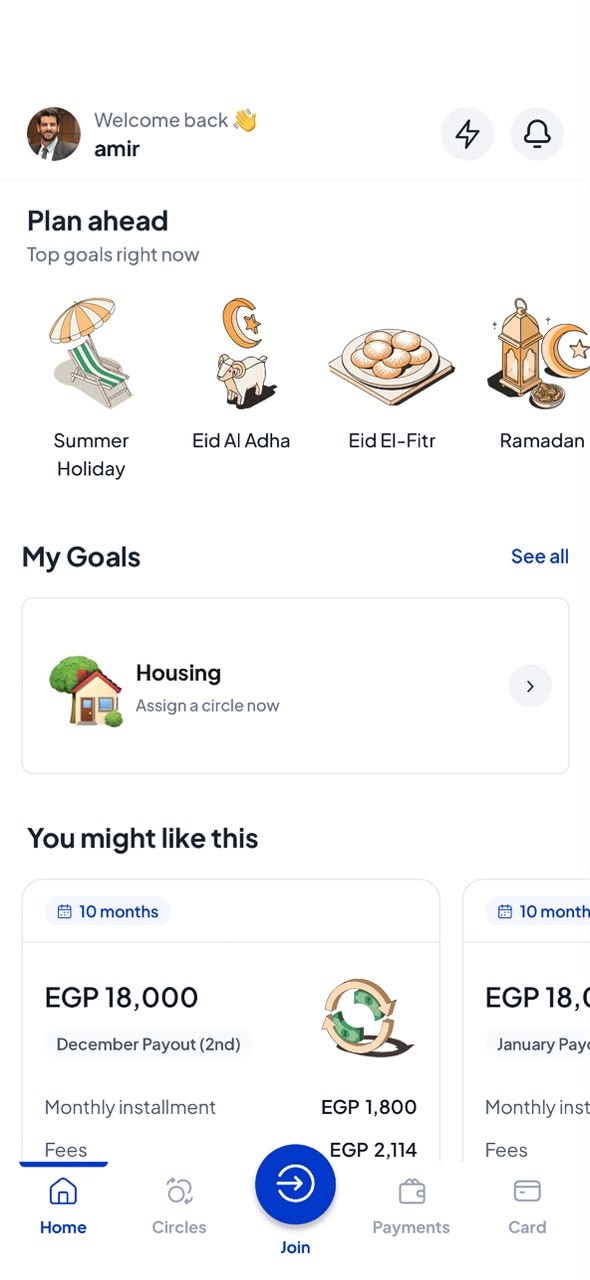
Emojis made life goals look generic and cheap
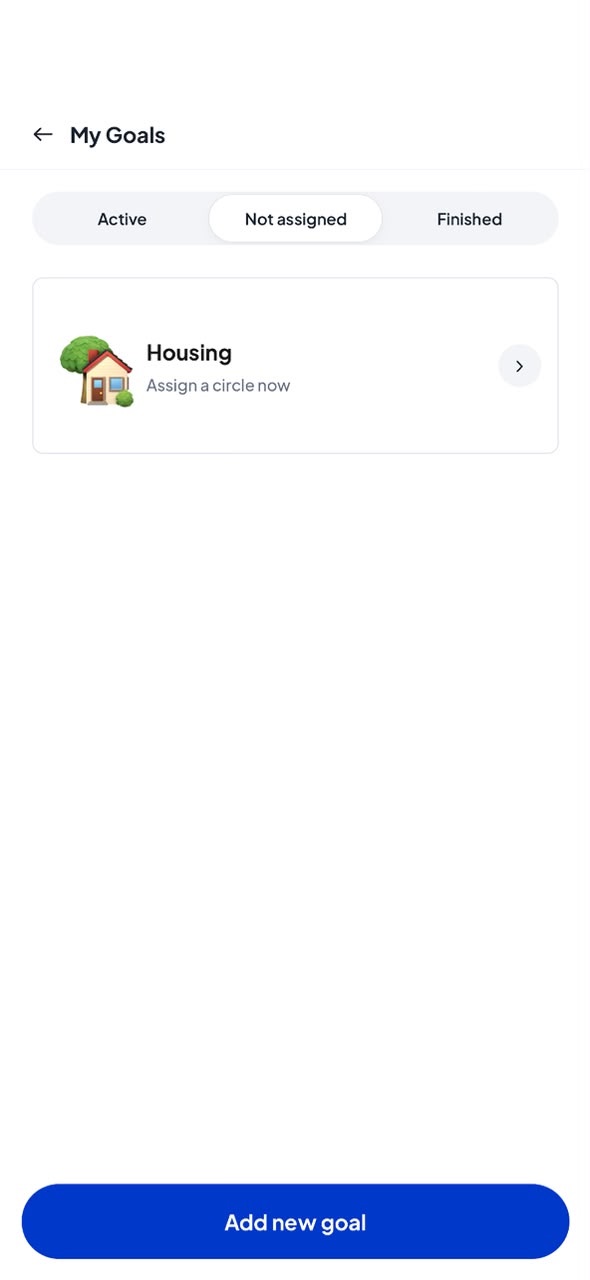
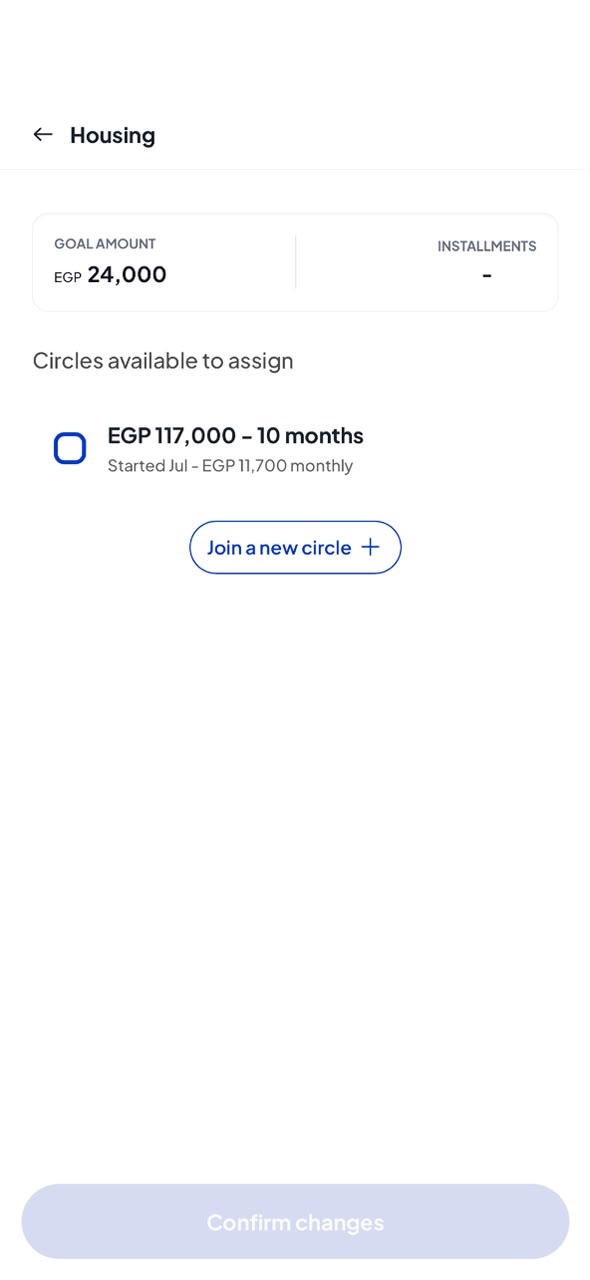
Goals sat "Not assigned", with no progress to show
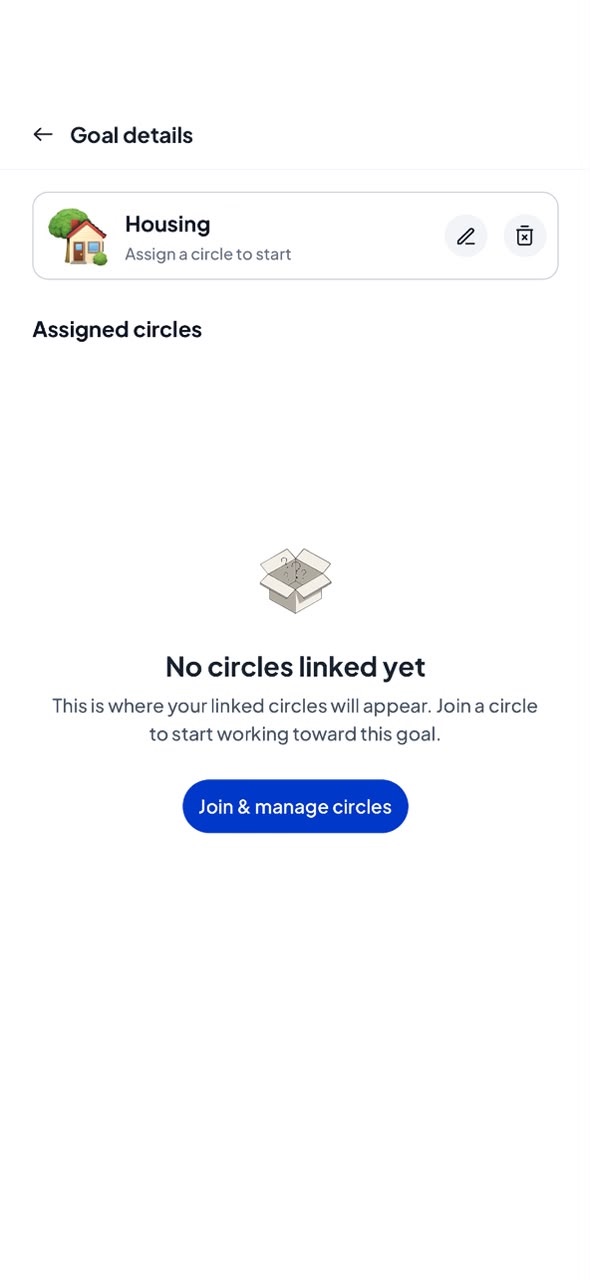
Joining versus linking a circle was unclear
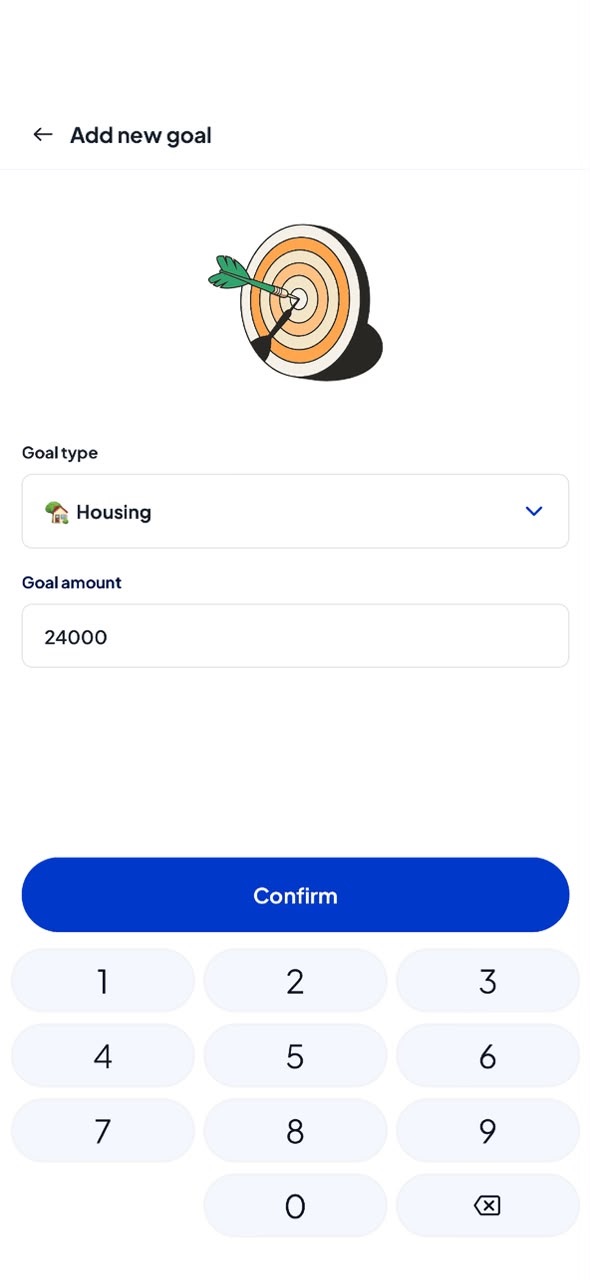
01Home, before a goal02Add a goal03My goals04Goal details05Link a circle06Home, with a goal
V1: five screens and a list to link one circle, with emojis standing in for life goals.
03 · Navigation
The biggest fix was structural. V1 had no logical order: every step sent you to another screen, then back to a list. V2 gives every goal one home.
V1
Home card → Add goal → My Goals list → Goal details → Join & manage → Assign screen → back to the list. Five stops to link one circle, and no sense of where you were.
V2
Pick a goal, land on its page, act there. Joining or linking a circle, tracking progress and editing all start from the same hub.
04 · Setting a goal
Emojis were the weakest part of V1. They look different on every phone, the same for every user, and made a family's Hajj or a wedding feel like a chat reaction.
V1
A dropdown of goal types with stock emojis, then an amount on a keypad.
V2
A grid of 15 life moments, from Debt payoff to Wedding, each drawn in our own illustrations library.
05 · Linking circles
A goal without a circle is just a wish. V2 makes the next step impossible to miss.
V1
An empty state pointed to "Join & manage circles", then a separate checkbox list to assign existing circles.
V2
An empty goal offers two buttons: Join circles, or Link existing circle. New circles link automatically, and settings only list circles free for this goal.
06 · Progress
V2 turns every payout into visible progress, and the gap into the nudge.
V1
A goal card that said "Assign a circle now", and nothing else.
V2
"Received 48,000" and a progress bar driven by real payouts, "You're still missing EGP 42,000" next to Join circle, and an Achieved state that celebrates the finish.
V2 prototype: pick a goal, add a circle, watch it fill, reach it.
07 · Why it's different
Telda, Thndr, Say and Bokra offer savings goals that rely on manual deposits. On Money Fellows, a circle's installment is a committed, automatic contribution, so progress happens by design, not by willpower.
08 · Measuring success
V2 has just shipped, so results are still coming in. We're tracking against the V1 baseline:
Goal creation rate
Goal-to-circle conversion
Goals left without a circle
Repeat join rate
What I took away
V1 proved the need, V2 made it usable. The problems were clear, so the redesign took two weeks. Sometimes a design lead's job is to ship fast, see what breaks, and fix the structure, not the pixels.